Light. Depth. Liquid Glass.
A glass finish that lets your wallpaper shine through when you open the panel.
Screenshot. Paste with ⌘V. Control your music. See what’s next. Your everyday tools, one click away.
Download for Mac ↓7 days free · No credit card · Apple Silicon
Watch it in action ↓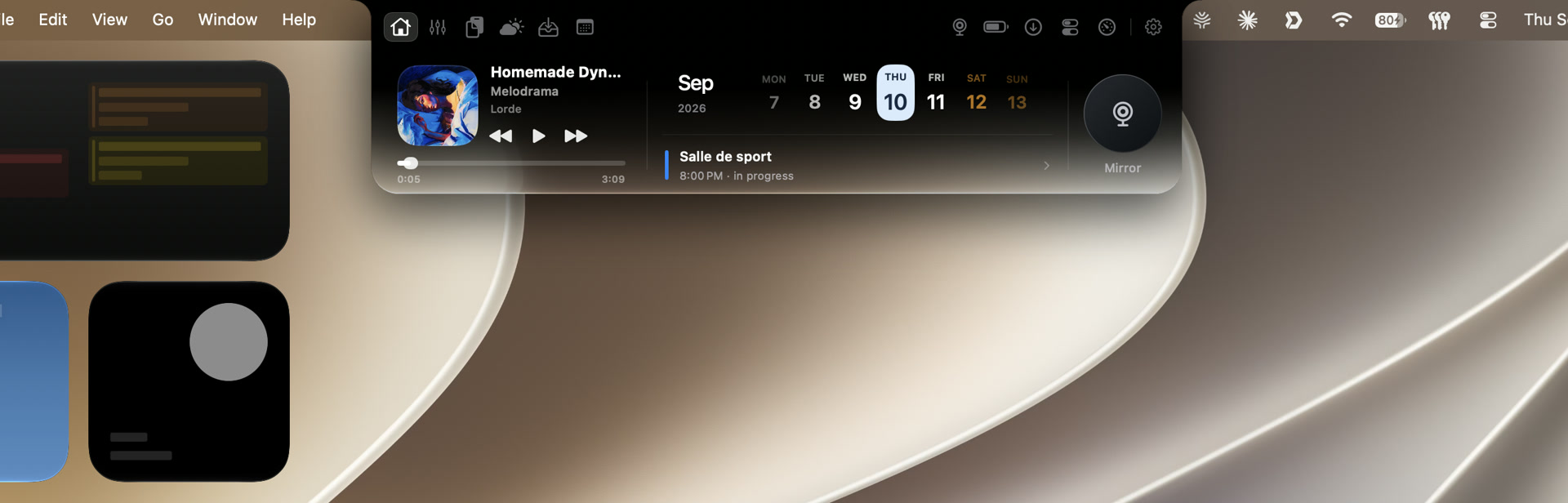
Tap an app preview to enlarge ↗
Real app captures. Available in English and French. Liquid Glass requires macOS 26 or later.
Open, switch, close. Watch Golden Notch move with you in this short, real-time recording.
Actual app recording · 9 seconds · No sound
A glass finish that lets your wallpaper shine through when you open the panel.
Keep your tools close on your MacBook or an external display. Full Liquid Glass is available on external displays.
The compact notch stays black while you hover or play music. Open it to reveal the glass.
Hover over the notch to see what’s playing. Click to open your tools. Swipe between modules. Golden Notch brings the things you use throughout the day into one place, without a permanent Dock icon.
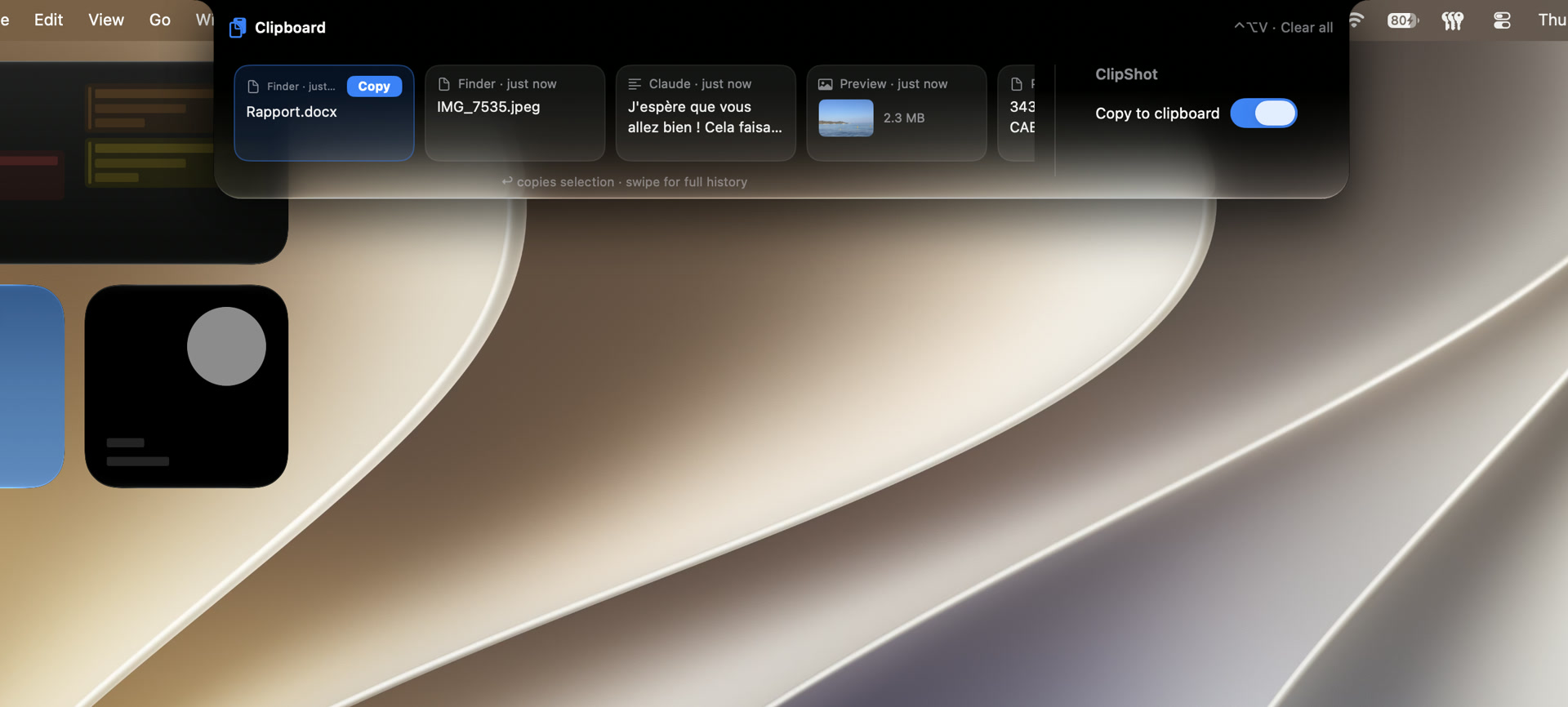
Take a screenshot with ClipShot enabled, then press Command + V in your chat or document. No file to save first. Your copied text, links and images stay within reach in clipboard history.
Open history with Control + Option + V. Use the arrow keys and Return to reuse an item. Automatic pasting requires Accessibility permission; otherwise press Command + V.
See available artwork, track names and artists at a glance. Open the panel to pause, skip or follow playback progress while you work.
Works with macOS Now Playing, plus Music and Spotify integrations. Available controls depend on the source.

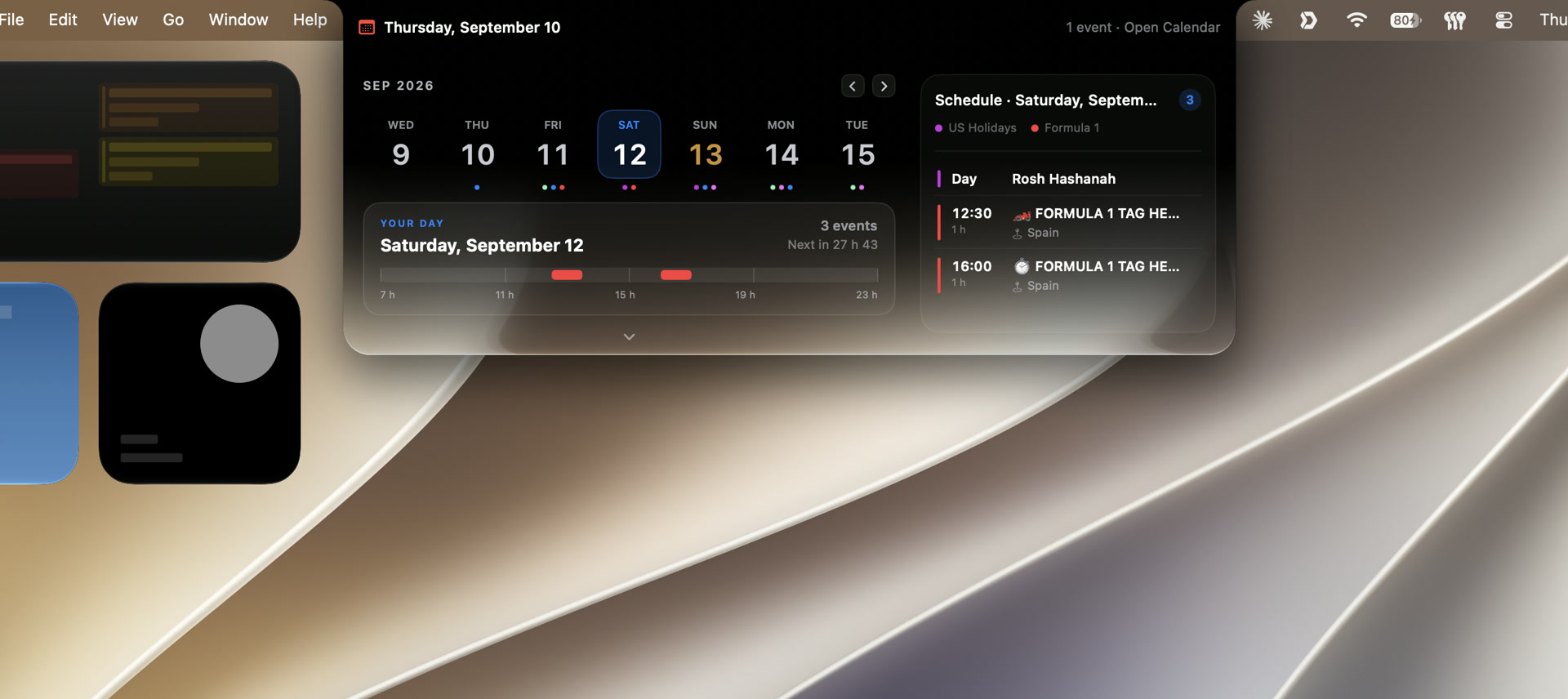
Your week, your upcoming events and your next meeting, using the calendars already on your Mac. Recognized video-call links let you join straight from the panel.
Calendar access is required. Events refresh after you grant permission.
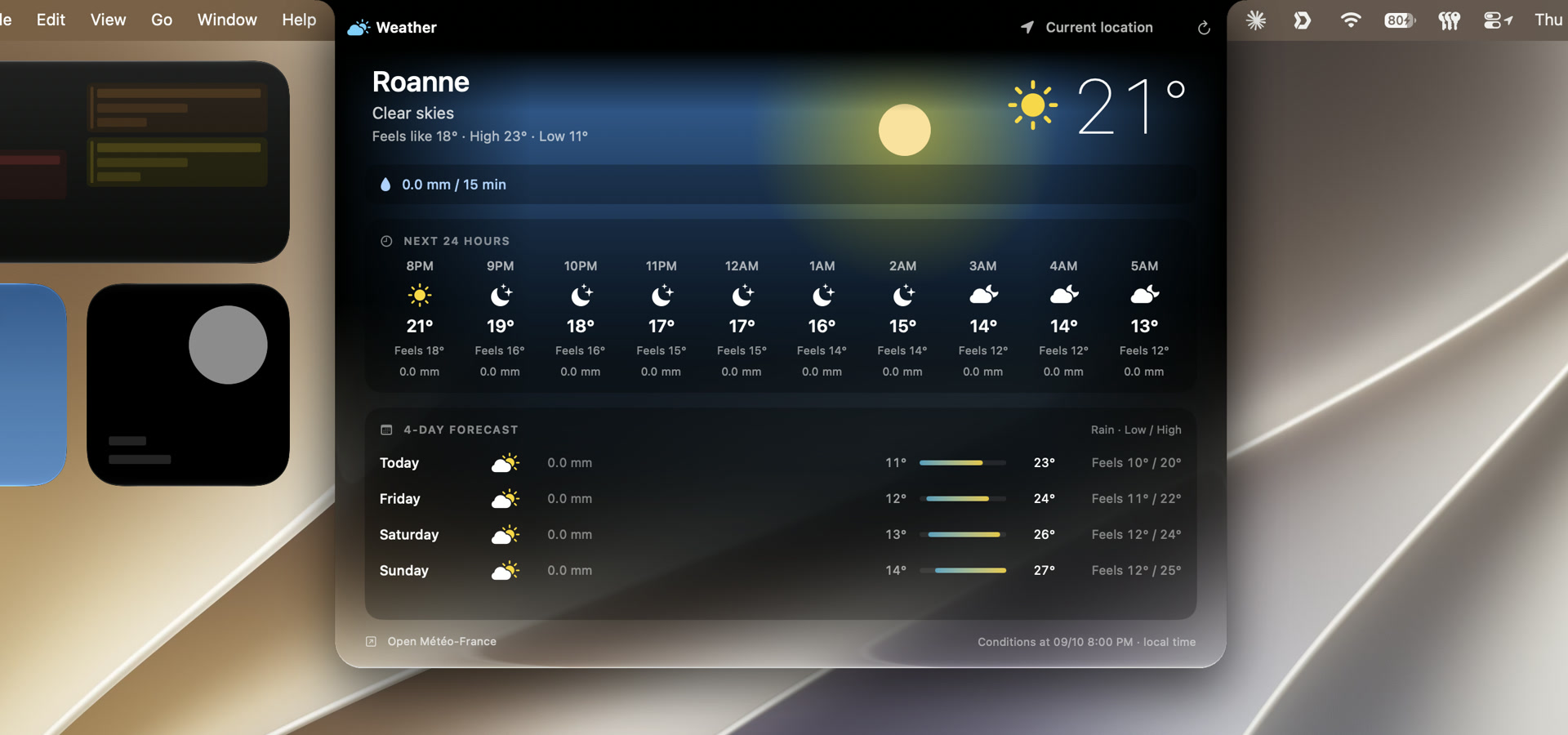
Current conditions, feels-like temperature, rain and the days ahead. Pick your city or use your location, with an animated background that follows the weather.
Forecasts use Open-Meteo and Météo-France models. Location access is optional when you choose a city.
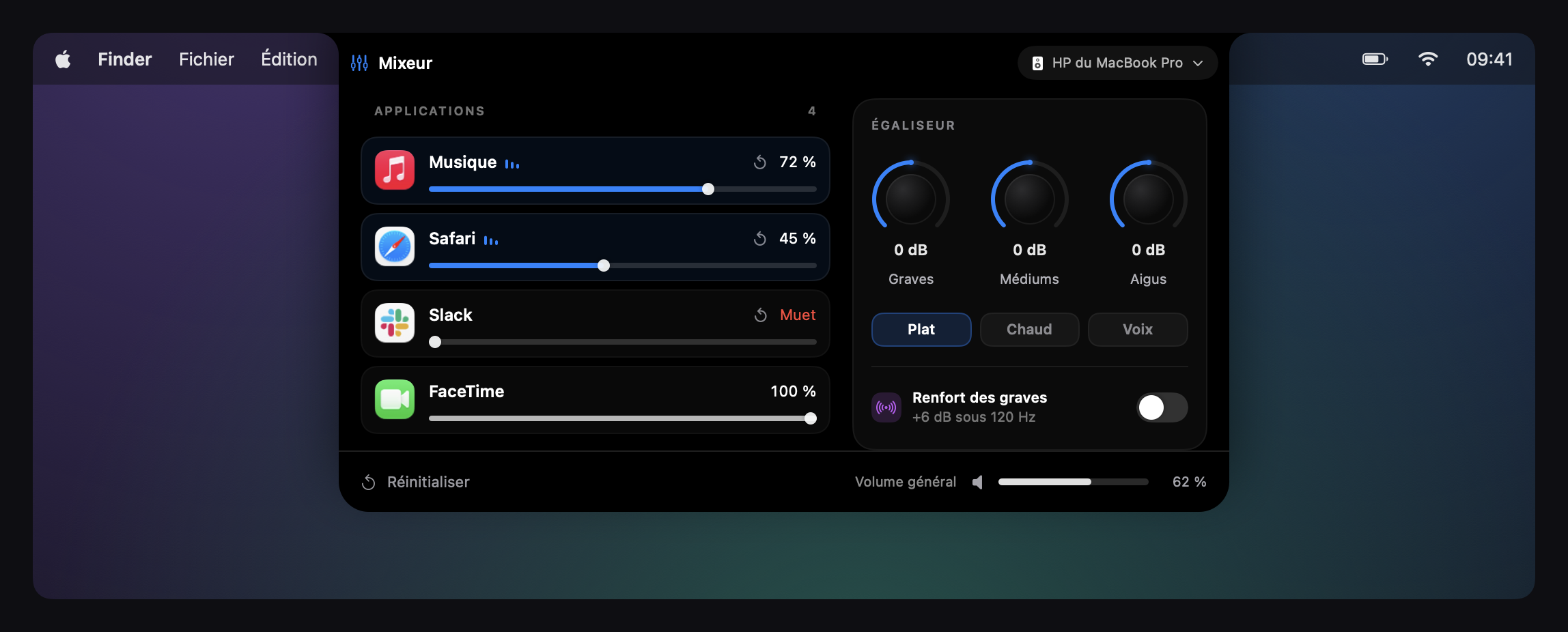
Turn down one app while keeping another clear. Individual volume controls, audio outputs and an equalizer are all within reach.
System audio capture permission is required. Support varies by app and macOS version.
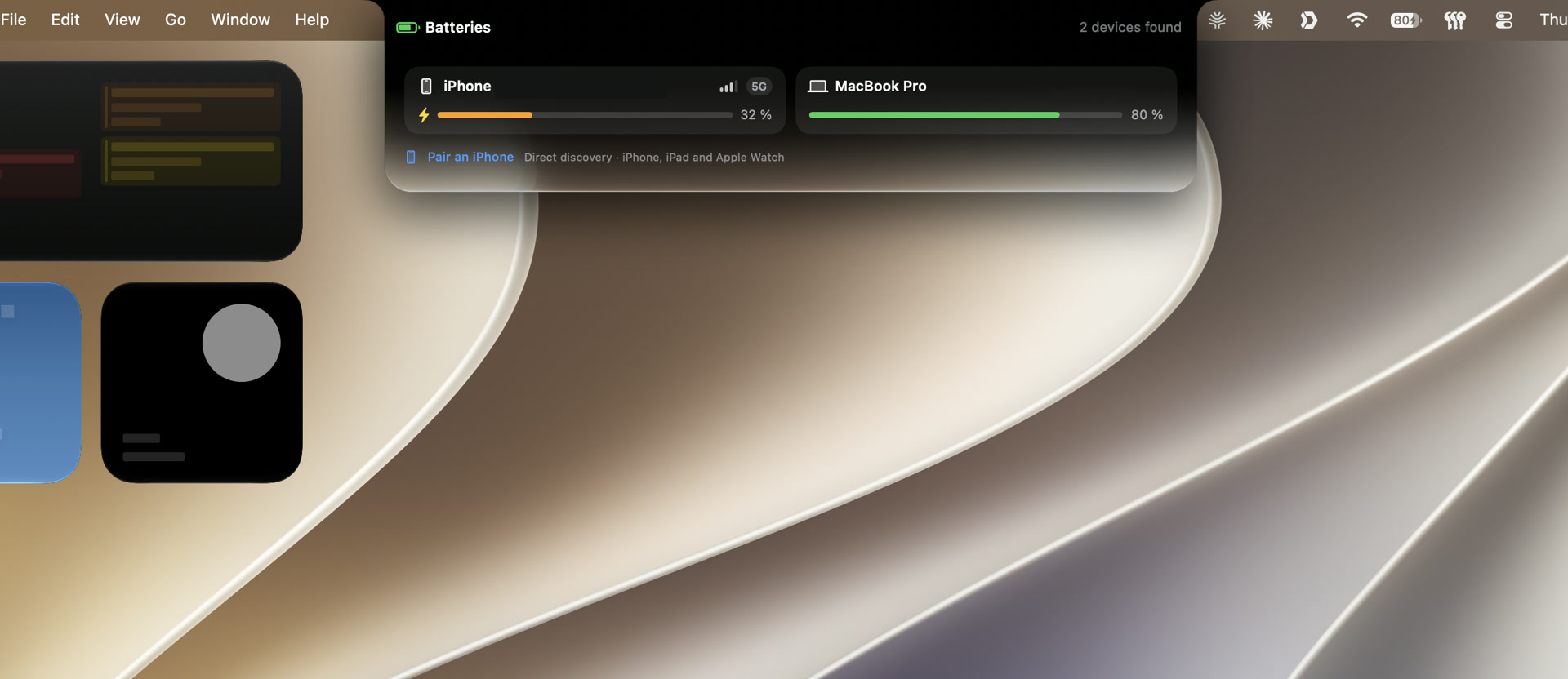
Check available battery levels for your Mac, AirPods and compatible accessories. Your iPhone can also show signal bars and network type when macOS provides them.
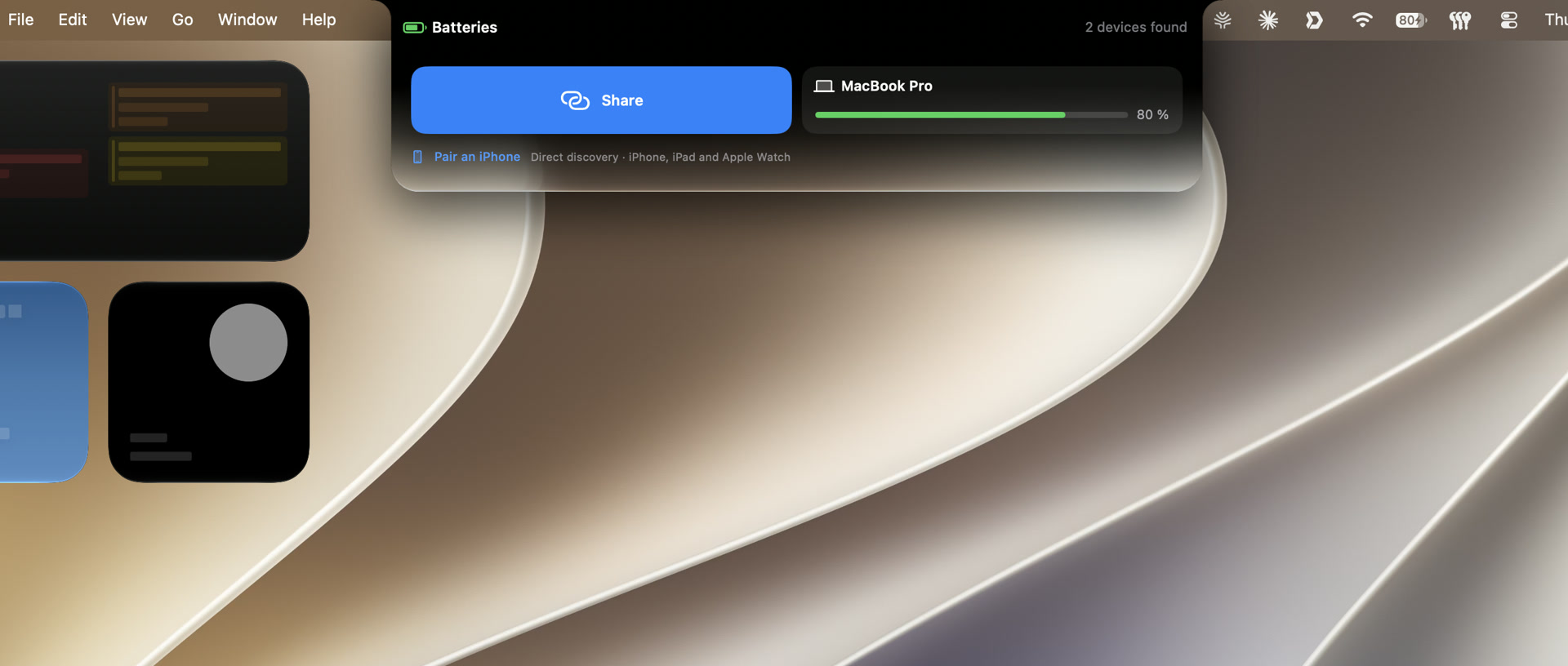
Hover over your iPhone card to reveal the sharing button and start connecting your Mac to its Personal Hotspot.
Availability depends on pairing, permissions and continuity services. An initial USB connection and Trust This Computer approval may be needed.
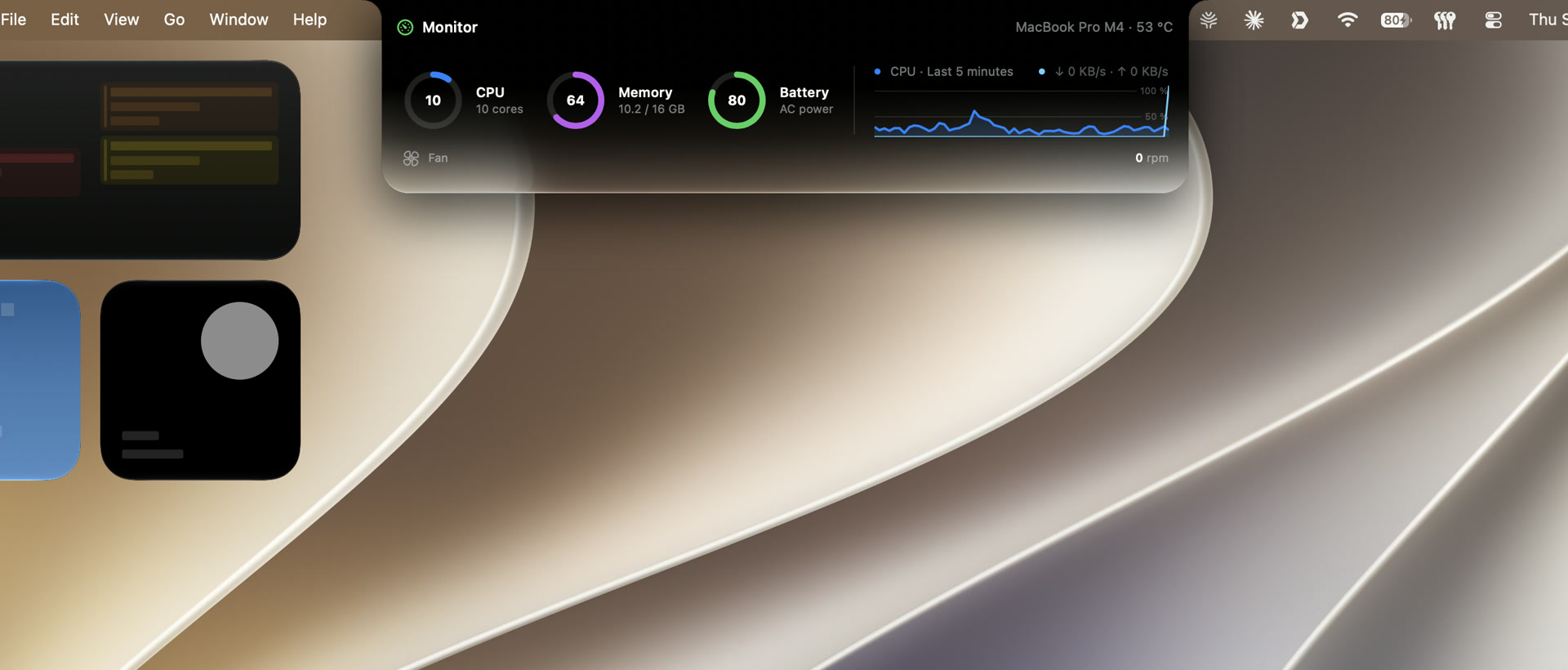
CPU, memory, battery and network activity in a compact dashboard. On supported MacBook Pro models, see temperature and fan speeds alongside the activity chart.
Sensor availability depends on your Mac and macOS. Fan speeds are displayed, not controlled.
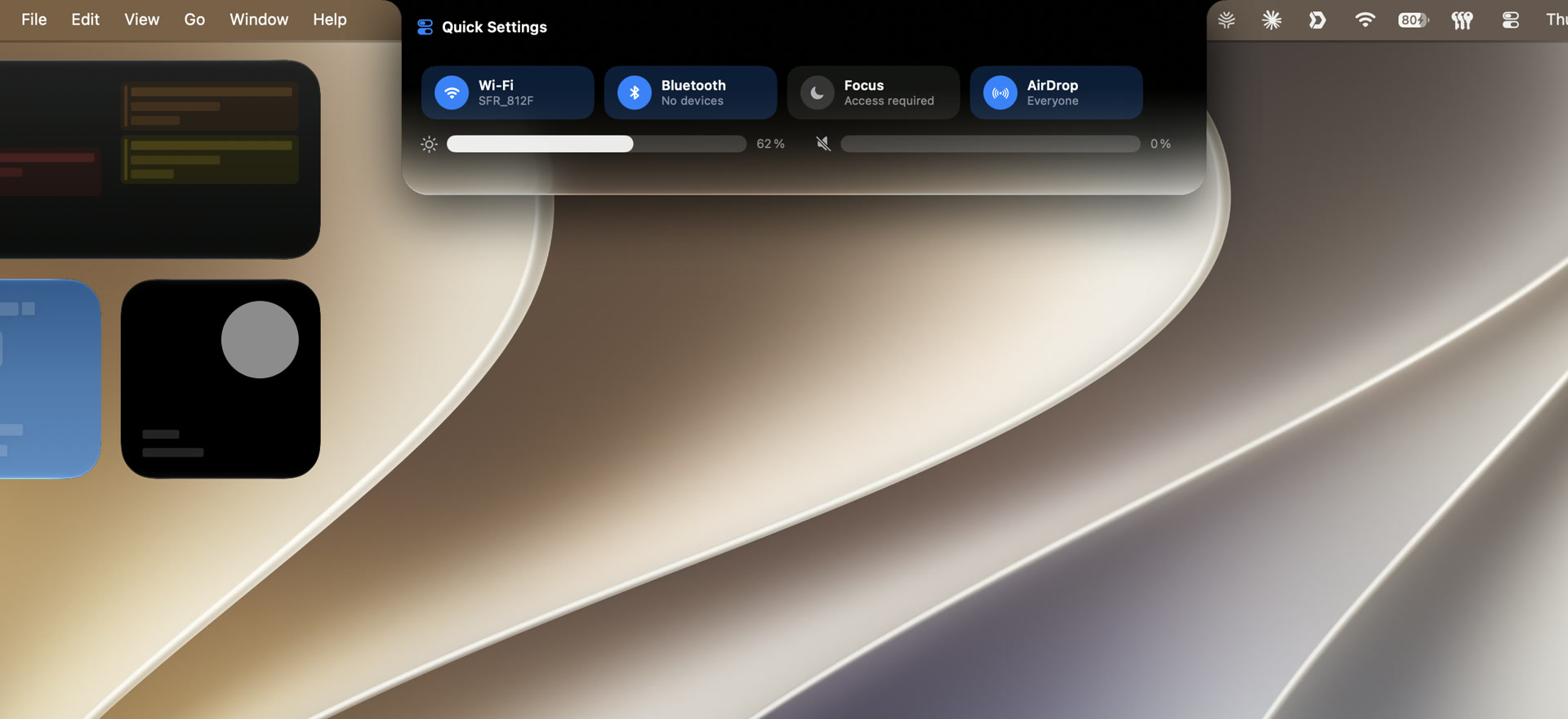
Reach Wi-Fi, Bluetooth, brightness and volume without interrupting what you are doing.
Drag a file onto the notch to hold it temporarily, then share it or move it where it belongs.
Check your framing before a call with a quick camera preview.
Find detected downloads and reach everyday system controls, brightness and volume.
Try every feature without a card. Then unlock Golden Notch with a single purchase. No subscription and no automatic charge when the trial ends.
Regular improvements and future updates are included, delivered directly through the app.
One-time purchase · lifetime license
Get the latest DMG using the button above.
Open the DMG, drag Golden Notch into Applications, then eject the DMG.
Launch the app and grant the permissions for the modules you want to use.
Apple Silicon only. Targets macOS 14.2 or later; some libraries and device features require newer versions. Current validation was performed on macOS 27 beta, so full functionality on earlier versions is not guaranteed. No Intel build is available.
A custom plug-in architecture is planned so you can install extensions you code yourself and personalize Golden Notch further. It is not available yet; documentation will follow when it is ready.
The built-in updater delivers new versions without reinstalling a DMG. With automatic checking enabled, it checks at launch and daily. You can also check in Settings → Updates. After relaunch, release notes explain what changed. Updates are included with your lifetime license.
Buy through Settings → Account & License. Stripe processes the payment; your license appears after purchase and arrives by email. Paste your license and purchase email into the app. Two simultaneous Macs are included.
Golden Notch uses information provided by macOS, your apps and devices. Available media controls, battery readings, network details and sensors vary. Missing permissions can also limit a module.
You can turn off Liquid Glass in the app settings and keep the fully black look. Choose full black, black with glass, or full Liquid Glass on an external display.
Optional site statistics and X ads measurement. Your choice lasts six months. Download with or without consent.
Visits, return visits, estimated active time, sections viewed and download clicks, campaign labels, device family and approximate country/region/city. Random browser identifiers and events are kept for 90 days; no raw IP is stored.
X receives visits, download requests and confirmed purchase amounts, plus advertising identifiers and your IP when contacted. No email or license key is sent. X privacy policy. App statistics remain a separate choice.